
Parcels and orders
Nothing retyped, nothing lost: every parcel from any door, with a full timeline.
A parcel enters from wherever it starts: the merchant’s portal, your staff, an Excel sheet, the API or the storefront. From then on every change carries who made it, when, and why.
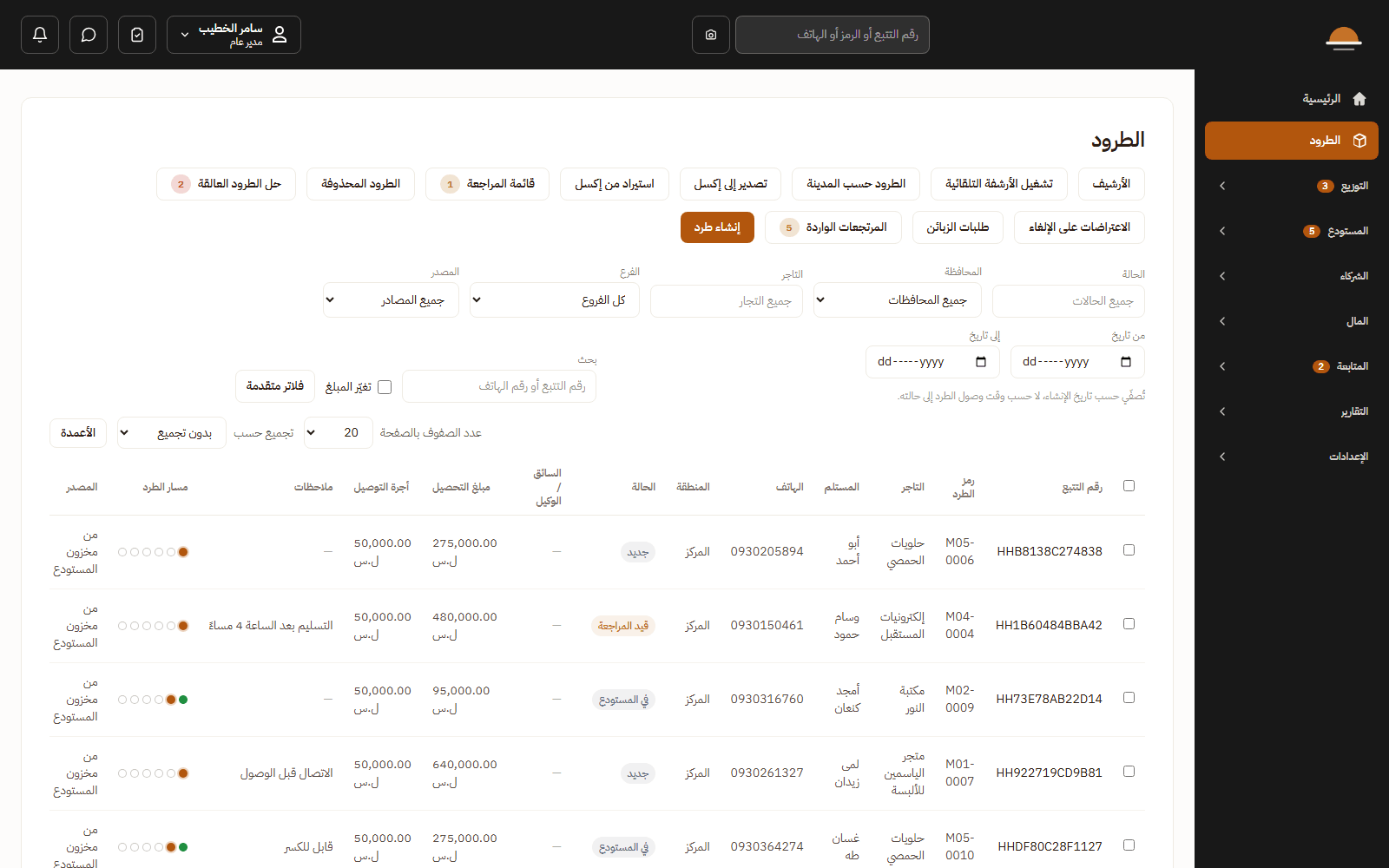
- Created by the merchant, by staff on their behalf, by Excel or CSV import with a validate-first preview and up to 5,000 rows a file (a multi-merchant mode for staff), by the open API, or from the storefront.
- An automatic tracking number and barcode; scanning by phone camera or a hardware reader; manual code entry for a damaged label.
- A 10×10 shipping label with the merchant’s own logo and disclaimer, bilingual, printed one at a time or in bulk, with a carrier barcode strip when the parcel is handed to a partner.
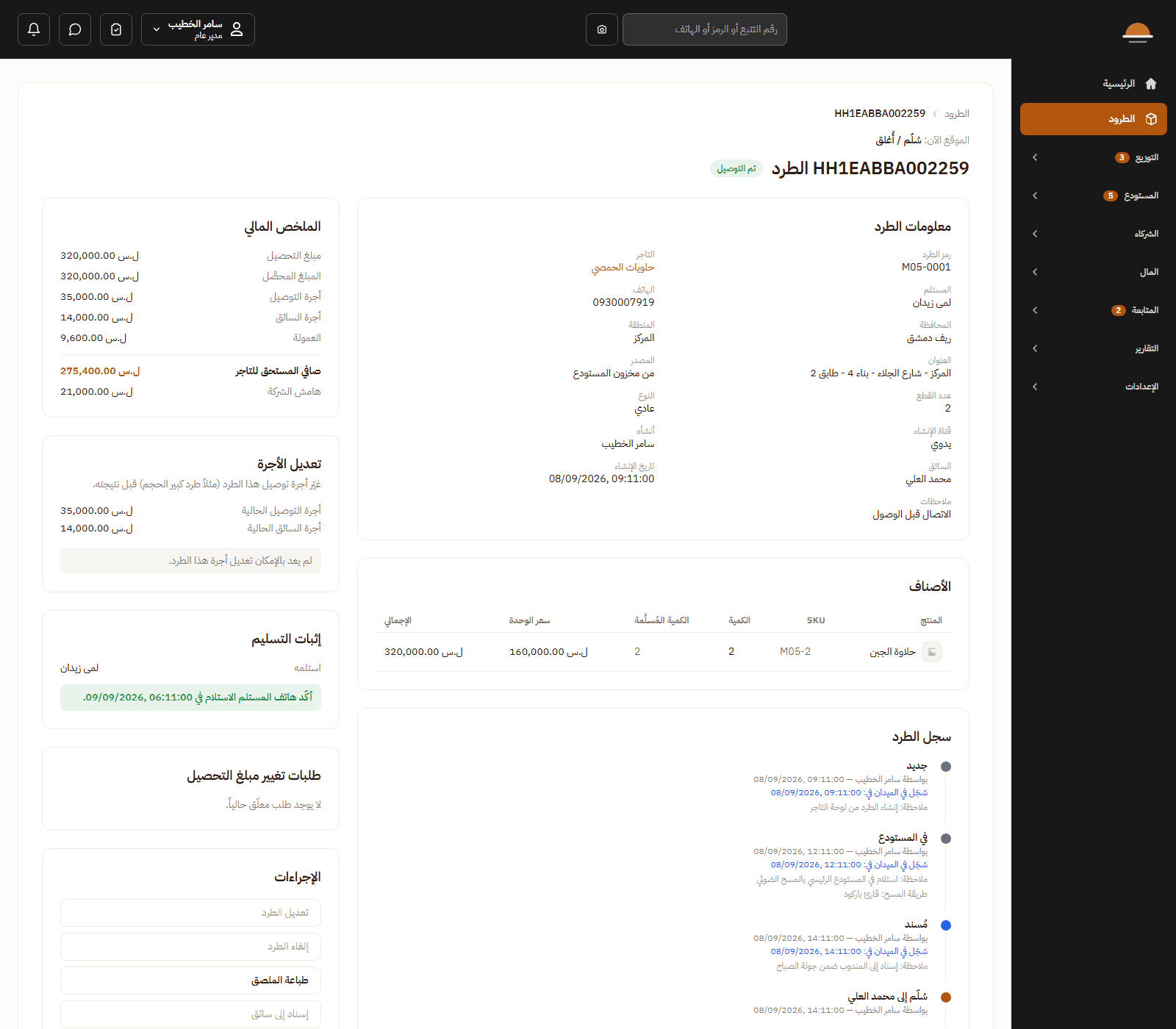
- A full timeline: every state change with who, when and why. Nothing is deleted silently: soft delete, a deleted-parcels screen and an archive.
- A review gate for merchant-created parcels; draft parcels that resume; a second recipient phone; parcel types normal, exchange and return; a source warehouse or a pickup.
- Changes on the road follow rules: a contact amendment, a COD change with approval, an address redirection that can only raise the price.
- A public tracking page for the end customer, with no login.
- Global search by tracking number, code, manifest or phone; a configurable list workspace with saved columns, filters and group-by.
Want to see the system on cases from your own work?
Write to us on WhatsApp or by email and we will arrange a walkthrough on examples from your operation.